
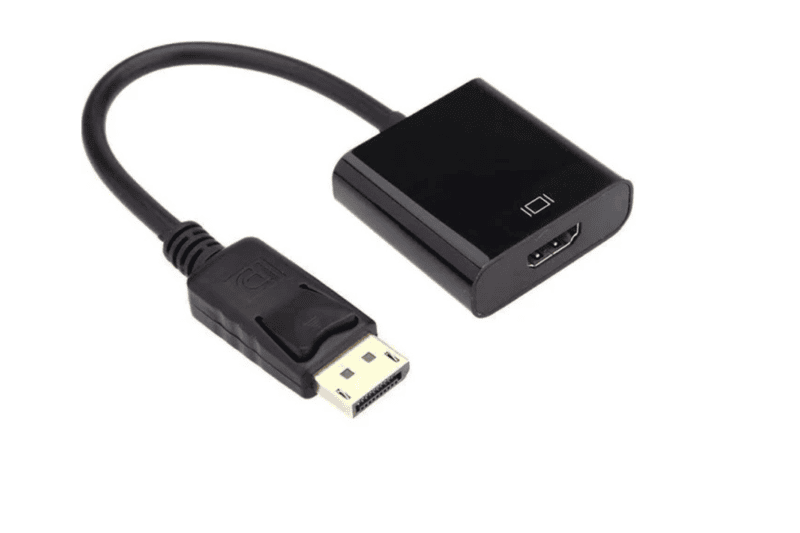
HDMI TO DP Female
A DisplayPort‑to‑HDMI Female Adapter allows a device with a DisplayPort output (like a PC, laptop, or GPU) to connect to a display with an HDMI input. The adapter accepts the DisplayPort signal, converts it (if needed), and provides an HDMI female socket so you can plug in a standard HDMI cable to drive the display. Key features are support for audio/video, unidirectional signal flow (DP → HDMI), and varying levels of resolution and refresh rate depending on whether it’s passive or active.
1 | Purpose / Directionality | The adapter works one way: from DisplayPort source (male DisplayPort connector) → HDMI display (female HDMI socket). It does not work in reverse (HDMI source → DisplayPort display) without an active converter. |
2 | Passive vs Active | Passive adapters simply route compatible signals if the DisplayPort output supports dual‑mode (DP++). For higher bandwidth (e.g. for 4K @60Hz with full colour depth) or when the output doesn’t support DP++, an active adapter/converter with electronics is needed. |
3 | Resolution and Refresh Rates | Common specs include: Full HD (1080p) @ 60Hz; some support up to 4K @30Hz or 4K @60Hz depending on DP version and adapter quality. |
4 | Support for Audio | Many adapters also carry audio (HDMI side) so that sound from the DisplayPort source can be output over HDMI. |
5 | HDCP / DRM Compatibility | Many adapters support HDCP 1.4 / HDCP 2.2 to allow protected content (streamed video etc.) to display correctly. |
6 | Connector / Build Quality | Features like gold‑plated connectors to reduce corrosion / improve conductivity; shielded cables; durable housings. |
7 | Cable / Length | Some adapters are just a small dongle; some have short built‑in cable segments (say 10‑20 cm). Longer cable/adapters may introduce signal degradation unless high quality. |
8 | Compatibility / Device Support | Works with desktops, laptops, and GPUs with DisplayPort (especially DP 1.2 / DP 1.4). Also TVs, monitors, or projectors with HDMI input. Important to match the generation (e.g. DP1.4) & HDMI version of the display. |
9 | Bandwidth Limitations | Although DP → HDMI adapters can support high resolution, the max usable resolution/refresh depends on the adapter, cable, and source port’s capabilities. E.g. if HDMI cable or display is old / v1.4, you may only get 30Hz at 4K. |
10 | Plug & Play | Typically no drivers needed; standard video drivers handle the conversion automatically once connected. |
11 | Cost / Price Range | Prices vary by quality, brand, and capability (4K60 vs 1080p etc.). Basic versions are cheaper, high‑spec / active ones cost more. (Specifics vary by region) |
12 | Use Cases | Common uses: connecting PC or laptop to HDTV / projector; adding additional monitors; situations where the display only has HDMI. Also for meeting rooms, presentations. _ |
13 | Limitations / Not Supported | As above, cannot reverse the signal (HDMI source → DisplayPort display) using passive adapters. Also potential limitations on refresh rate, color depth if adapter or cable is low quality. |
14 | Active Power / Signal Boost | Some adapters may require powered or “active” circuitry (especially for longer distances or higher bandwidth) to maintain signal integrity. Might have small power draw; good adapters manage this well. |
15 | Standards / Certifications | Check support for DP version (1.2 / 1.4 etc.), HDMI version (1.4 / 2.0 / 2.1), HDCP version, and also whether the adapter is certified or of known brand — helps ensure consistent performance. Also look at warranty or shipping support if purchased. |