

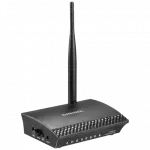


Digisol 150mbps wireless broadband home router, DG-HR1400 (H/W Ver. D1)
Here’s your key features list in a table format:
Feature | Description |
|---|---|
IPv6 Support | Supports next-generation Internet Protocol (IPv6) for enhanced networking. |
Wireless Speed | Up to 150Mbps for a fast and stable connection. |
Multiple Wireless Modes | Allows selection of different WLAN operation modes. |
Multiple SSID Support | Enables multiple Wi-Fi networks for better management. |
WMM Function | Enhances multimedia experience on wireless networks. |
High Gain Antenna (5dBi) | Provides better Wi-Fi coverage and improved signal strength. |
WPS Push Button | Quickly and easily sets up a secure Wi-Fi network. |
Firewall & DoS Protection | Ensures security for LAN/WLAN networks against threats. |
Parental Control | URL blocking feature for safe and restricted browsing. |
LED Status Indications
LED Name | LED Status | Indication |
|---|---|---|
Power (PWR) | On | Router is switched on and correctly powered. |
WAN | On | WAN port is connected. |
Off | WAN port is not connected. | |
Blinking | WAN activity (transferring or receiving data). | |
LAN (1-4) | On | LAN port is connected. |
Off | LAN port is not connected. | |
Blinking | LAN activity (transferring or receiving data). | |
WLAN | On | Wireless network is switched on. |
Off | Wireless network is switched off. | |
Blinking | Wireless LAN activity (transferring or receiving data). | |
WPS | On | A wireless device has been successfully added to the network via WPS. |
Off | WPS process is not initiated. | |
Blinking | A wireless device is connecting to the network via WPS. |
Interface Descriptions
Interface | Description |
|---|---|
Antenna | 5dBi dipole antenna. |
LAN (1-4) | Local Area Network (LAN) ports 1 to 4. |
WAN | Wide Area Network (WAN/Internet) port. |
Power On/Off Button | Press this button to power ON/OFF the router. |
Reset Button | Press and hold for 5 seconds to reset the router to factory defaults (clears all settings). |
WPS/WIFI Button | WPS: Press for more than 10 seconds to initiate WPS. |
Power Connector | Connects the power adapter (only use the provided adapter). |
General
- Uses For ProductHome
- Connectivity TypeWired & Wireless
- Router Connection TypeEthernet
- Operating SystemWindows
- Router Data Transfer Rate100 to 199 Mbps
Features
- Frequency Band ClassSingle-Band
- Security ProtocolWPA-PSK
- Wireless Communication Standard802.11.a
- Antenna TypeExternal
- Antennas Quantity1
- Number of LAN Ports4
- Item Width Shorter Edge15 cm & above