

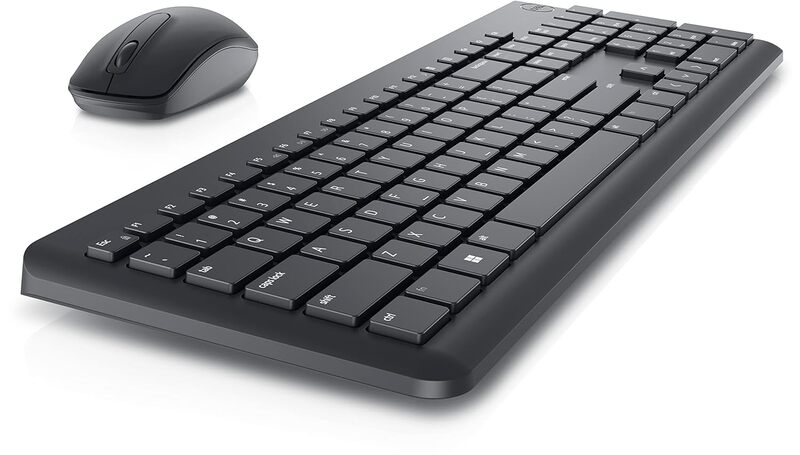


DELL Wireless Combo Desktop Keyboard Compatible with Desktop, Laptop, Mac Black (WK118)
Out of stock
Rs. 899.00
Rs. 1,499.00
Brand: Dell
Model: WK118
Type: Wireless Keyboard and Mouse Combo
Connectivity: 2.4GHz Wireless with USB Receiver
Compatibility: Supports Desktop, Laptop and Mac
Model: WK118
Type: Wireless Keyboard and Mouse Combo
Connectivity: 2.4GHz Wireless with USB Receiver
Compatibility: Supports Desktop, Laptop and Mac
Product Details
Specifications
Product Details
Product Details
| Specification | Details |
|---|---|
| Brand | Dell |
| Model | WK118 |
| Product Type | Wireless Keyboard and Mouse Combo |
| Connectivity | 2.4 GHz Wireless with USB Nano Receiver |
| Wireless Range | Up to 10 Meters |
| Keyboard Layout | Full Size Keyboard with Numeric Keypad |
| Keyboard Key Type | Chiclet / Membrane Keys |
| Mouse Type | Wireless Optical Mouse |
| Mouse DPI | 1000 DPI |
| Keyboard Battery | 2 × AAA Batteries |
| Mouse Battery | 1 × AA Battery |
| Compatibility | Windows, macOS, Linux, Chrome OS |
| Interface | USB Nano Receiver |
| Color | Black |
| Keyboard Dimensions | Approx. 440 × 140 × 25 mm |
| Mouse Dimensions | Approx. 105 × 60 × 38 mm |
| Keyboard Weight | Approx. 480 g |
| Mouse Weight | Approx. 60 g |
| Warranty | 1 Year Limited Warranty |
| Package Contents | 1 × Wireless Keyboard, 1 × Wireless Mouse, 1 × USB Receiver, Batteries, User Manual |
Specifications
Specifications
General
- Type Of ProductCombo
- Types Of UsesEveryday Use
- Operating SystemsAll
- Connectivity TechnologyUSB
- Hand OrientationAmbidextrous
- Movement Detection TechnologyOptical
- Mouse EmbellishmentLED
Special Features
- FeaturesWireless
- Number of Buttons93 & above
- Power SourceBattery Powered
- MaterialPlastic
- Movement Detection TechnologyOptical
- Finish TypeMatte